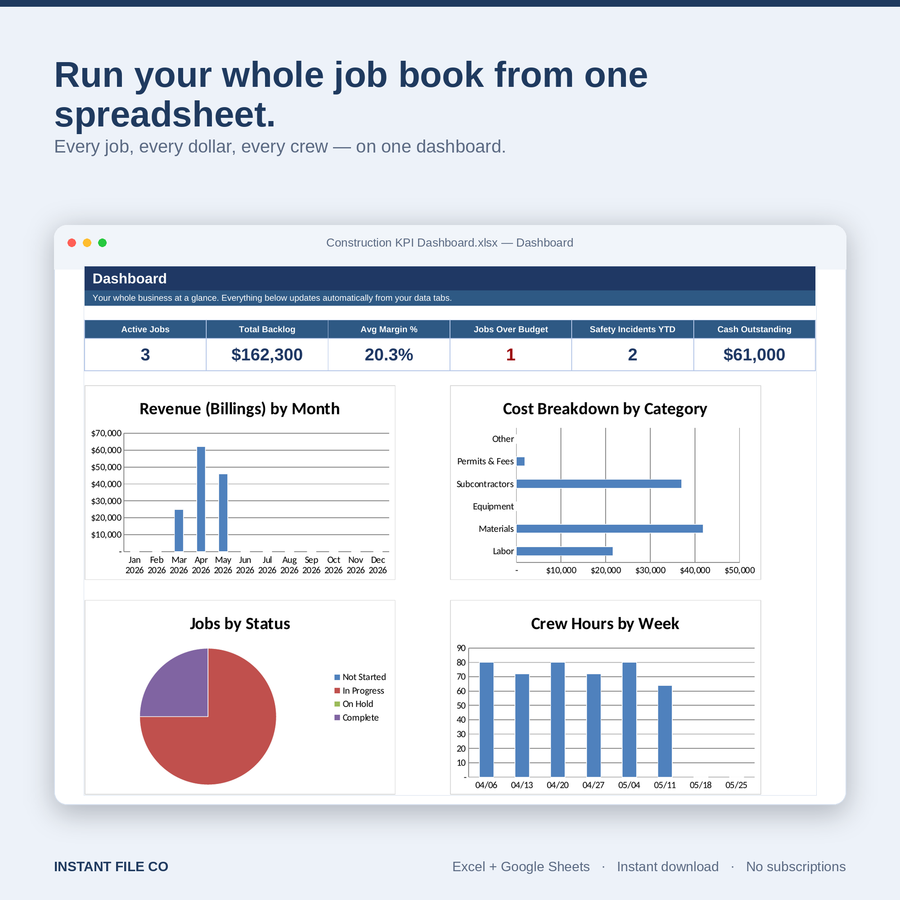
Construction KPI Dashboard — Excel & Google Sheets Template for Small Contractors
- Delivered to your inbox in 60 seconds
- One-time payment — lifetime updates
- Real human support — talk to Craig directly
Run every job, every crew, and every dollar from one spreadsheet. No logins, no subscriptions — just open and go.
A done-for-you KPI dashboard built for solo GCs, subs, and crews up to 20. Track job costs, margins, schedule, crew hours, safety, and cash flow in one clean Excel file that also works in Google Sheets. Pre-built formulas, drop-downs, and charts — set up in 5 minutes with the included sample data.
What you get
- See every job's margin, budget, and schedule status on one dashboard
- Pre-built formulas for job costing, variance, and crew productivity — no spreadsheet skills needed
- Works in both Microsoft Excel and Google Sheets (no macros, no add-ons)
- Includes sample data so you see it working the second you open it
- Tracks safety incidents, toolbox talks, and 30/60/90-day cash flow aging
- One-time purchase, instant download, yours to keep forever
- Built for small contractors — not bloated enterprise software
What's included
- 1 Excel file (.xlsx) with 9 pre-built tabs
- Identical Google Sheets compatibility
- Sample data for a realistic 4-job contractor
- Plain-English "Start Here" setup guide
- Free lifetime updates
FAQ
Do I need Excel, or does Google Sheets work?
Both. The file opens identically in Microsoft Excel and Google Sheets. No macros required.
Is this a subscription?
No. One-time payment, instant download, yours forever.
I'm not good with spreadsheets. Will I be able to use it?
Yes. The Start Here tab walks you through setup in 5 steps, and sample data is included so you can see exactly how it works before adding your own jobs.
Can I customize it for my business?
Yes. The Settings tab lets you change crew names, cost categories, and job statuses without touching any formulas.
Do I get updates?
Yes — free lifetime updates. Re-download anytime from your account.
Complete your construction toolkit
Complete the toolkit
 Sheets
Employee PTO & Attendance Tracker – Excel & Google Sheets
Stop guessing who's off and how much PTO they have left. The Employee PTO...
 Sheets
Contractor Change Order Tracker — Approvals, Costs, Schedule & Profit (Excel + Google Sheets)
Change orders are where contractor profit quietly leaks — and where client disputes start....
 Sheets
Small Business Runway Forecast — Cash Flow & Burn Rate Tracker (Excel + Google Sheets)
Running out of cash is the #1 reason small businesses fail. This forecast tells...
 Save 25%Sheets
Construction Project Management Spreadsheet — Excel Estimating & Gantt
Stop running your jobs out of three different notebooks Estimates in one file, the...